Meet  angar
angar
Run every MetaTrader 5 terminal, watch every account, and keep your tools up to date — from one window.
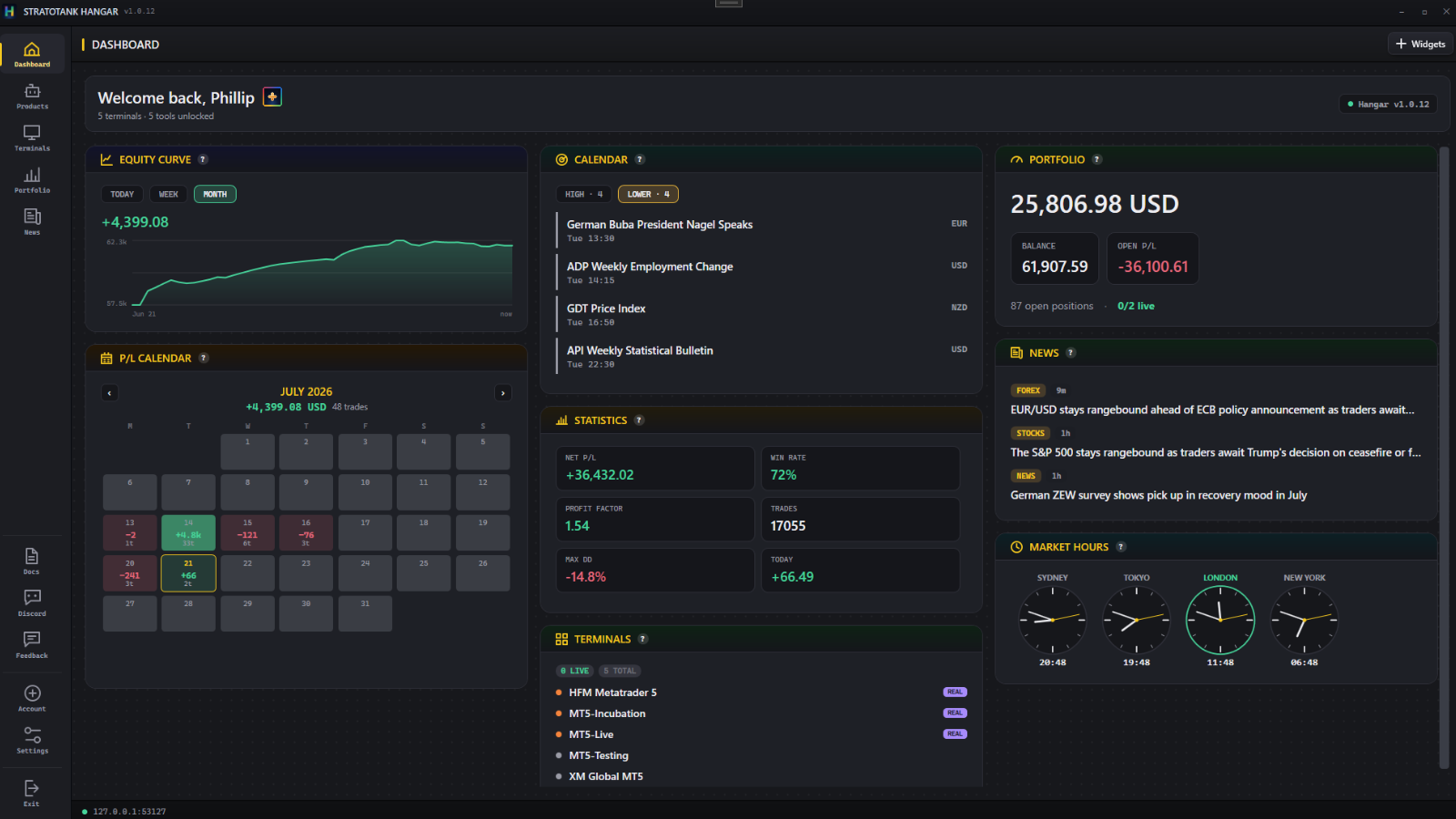
 Built forMetaTrader 5
All your terminals in one place
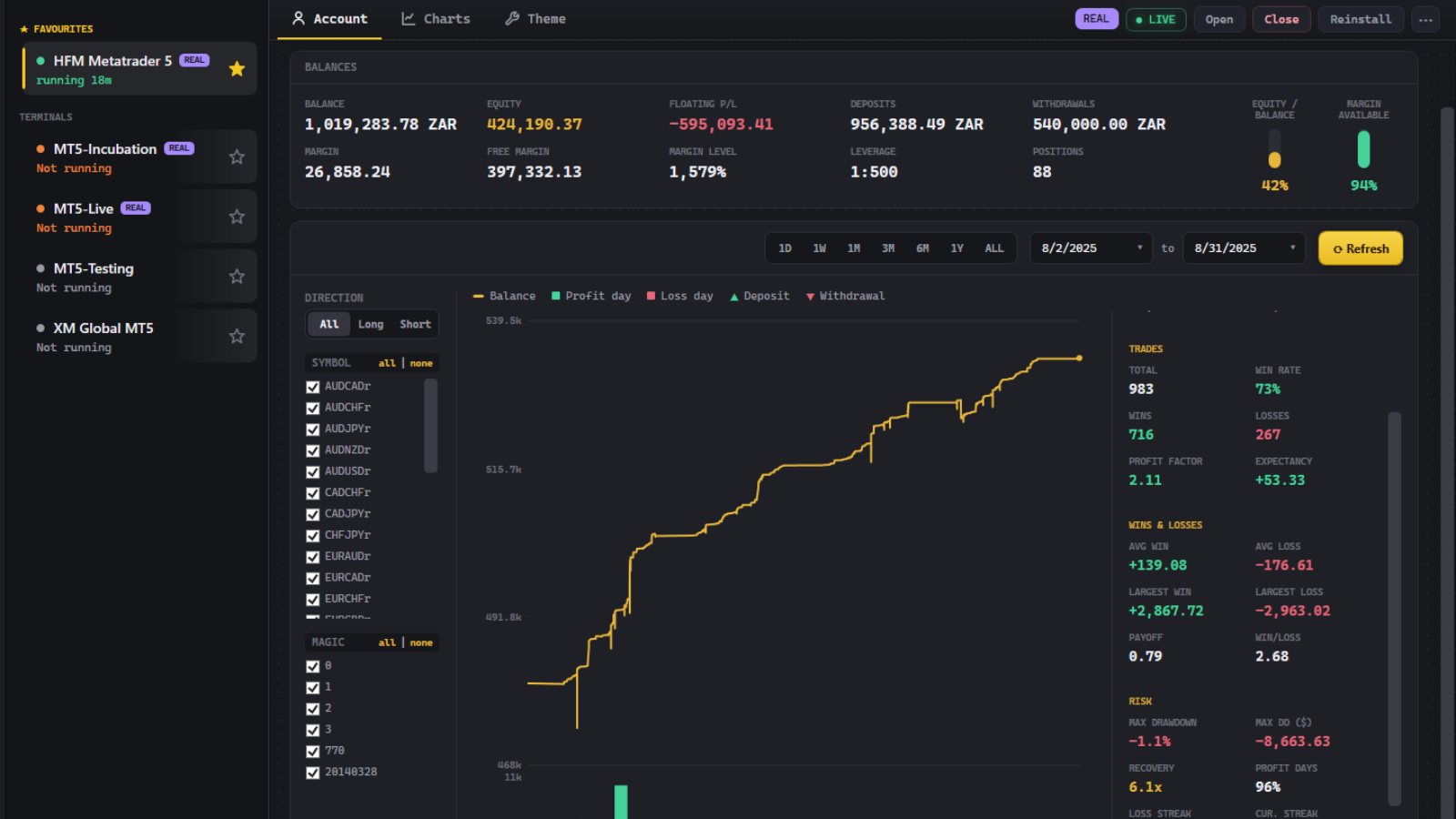
Hangar finds every MT5 installation on your machine by itself — no paths to enter, nothing to configure. Balance, equity, floating P/L, margin and uptime for the whole fleet on one screen.
- Auto-discovery — every broker, every install
- REAL and DEMO badges so you never act on the wrong account
- Open, close and raise terminals without hunting the taskbar
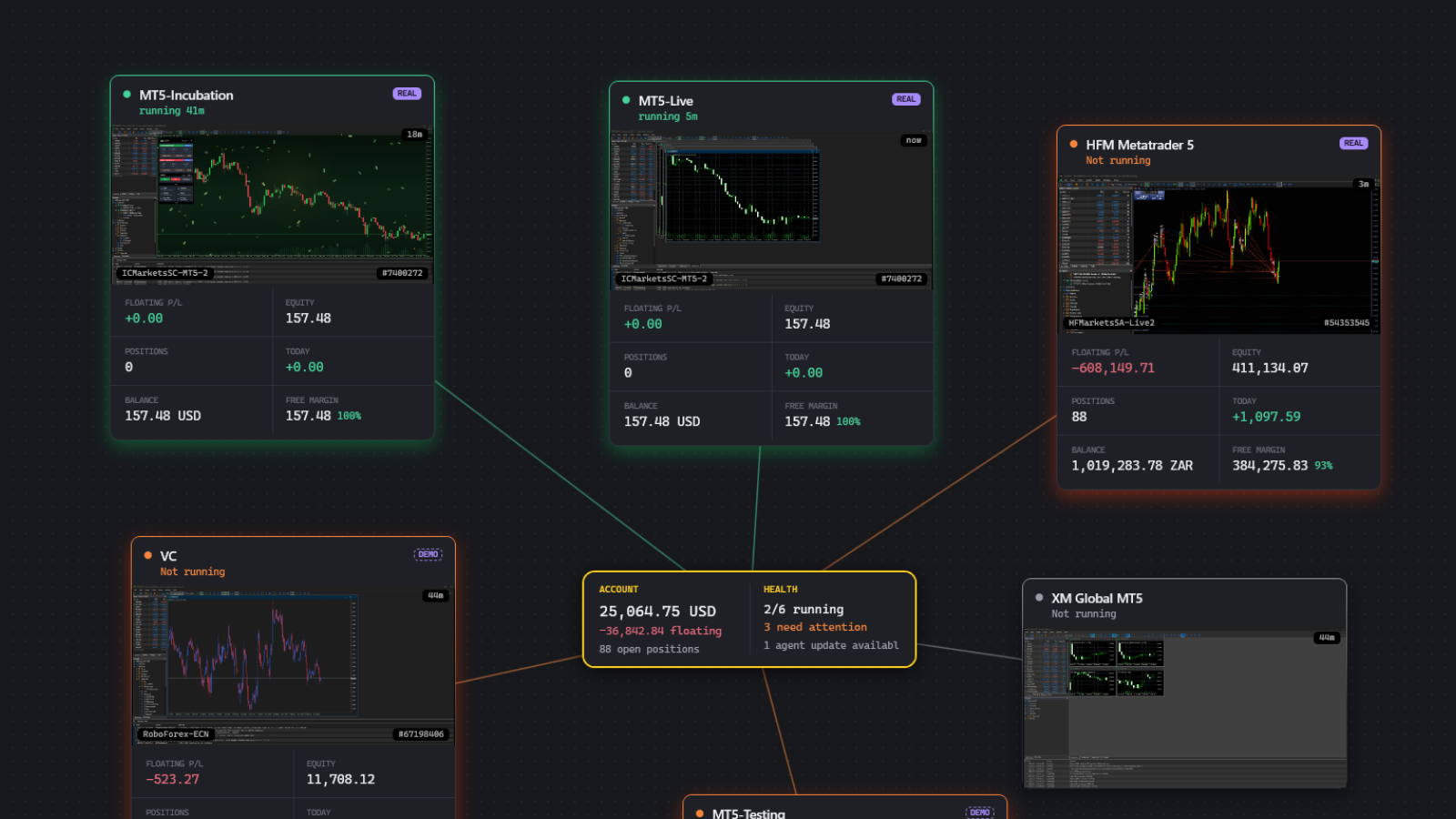
One board for the whole desk
Equity curve, P/L calendar, trading statistics, portfolio, news and world market-hours clocks as movable widgets. Arrange it once — the layout is saved.
- Add, remove and rearrange any widget
- Your currency, with every balance converted for you
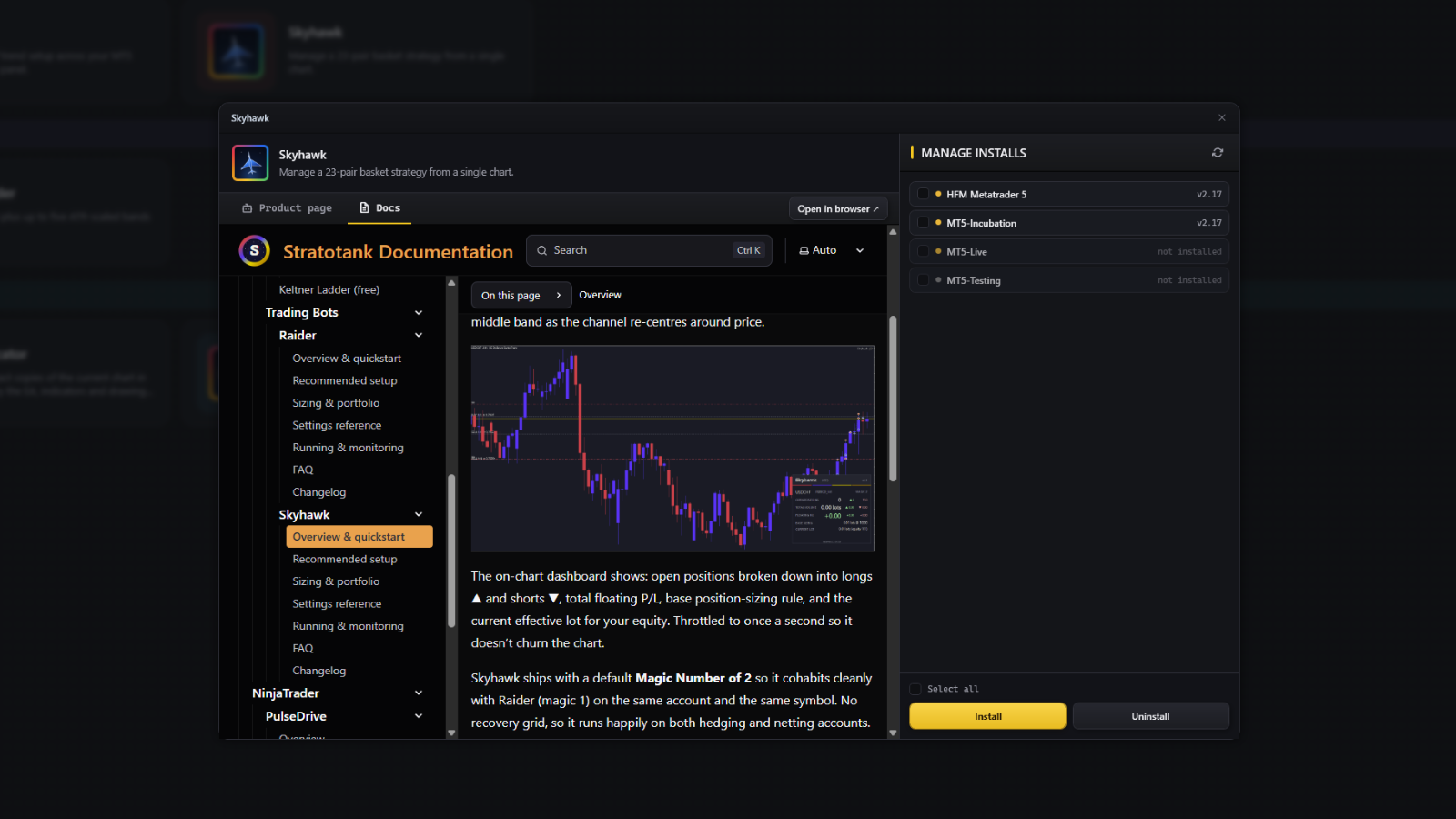
Install every tool in one click
Add, update or remove any Stratotank tool on one terminal or across the whole fleet from a single pane, with anything behind the latest version flagged for you. No copying files into data folders.
- Expert Advisors — automated trend and basket strategies
- Indicators — read structure and volatility on any chart
- Tools and scripts — chart utilities and one-tap execution
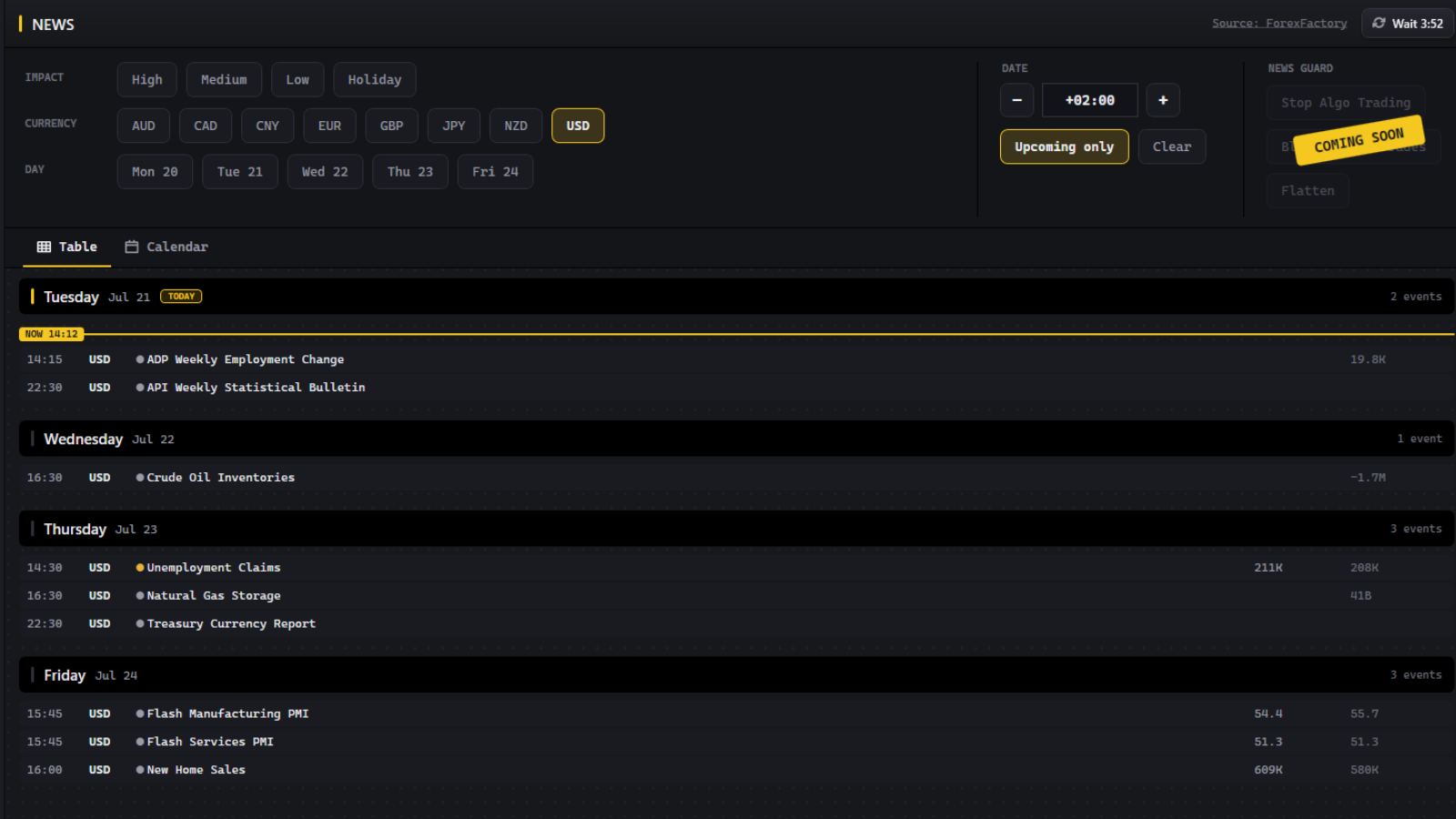
News and the calendar, built in
A full economic calendar and live market headlines inside the launcher. Filter by impact, currency and day, switch between table and calendar layouts, and set your own timezone. No extra browser tabs.
It cannot place a trade
Hangar reads your accounts to draw the dashboards. There is no order path in the launcher, and it never asks for your broker password.
- Your figures stay local — nothing is uploaded to us
- No broker credential — there is nowhere to enter one
- Code-signed installer from our own CDN
| Hangar Free Go free | Stratotank Plus $29/mo Get Plus | |
|---|---|---|
| Hangar |
✓ | ✓ |
 Raider Raider |
– | ✓ |
 Skyhawk Skyhawk |
– | ✓ |
 Meridian Channel Meridian Channel |
– | ✓ |
 Meridian Portfolio Meridian Portfolio |
– | ✓ |
 Sentry Sentry |
– | ✓ |
 Chart Cloner Chart Cloner |
✓ | ✓ |
 Chart Closer Chart Closer |
✓ | ✓ |
| Everything we ship next | – | ✓ |
Frequently asked questions
Can it touch my trades or my money?
Is the installer signed?
Where does my account data go?
Is it actually free, or free-until-it-isn't?
Does it work with my broker?
How often is it updated?
Do I need an account?
What does it run on?
Download
Sign up, download, and Hangar has your terminals on screen in about two minutes.
Create your account
100% free. No credit card required.